Notae
 **Browse and search your sheet-music PDFs on an Android phone or tablet. No
cloud, no account, no network access.**
Version 0.7.0 · Android phone and tablet (arm64) · one maintainer ·
roadmap
[](https://github.com/eRgo35/notae/actions/workflows/ci.yml)
[](https://github.com/eRgo35/notae/releases/latest)
[](https://github.com/eRgo35/notae/blob/main/LICENSE)
[](https://github.com/eRgo35/notae/blob/main/rust-toolchain.toml)
[](#install)
[Download](https://github.com/eRgo35/notae/releases/latest) ·
[Quick start](#quick-start) ·
[Documentation](#documentation) ·
[Changelog](https://github.com/eRgo35/notae/blob/main/CHANGELOG.md) ·
[Roadmap](https://github.com/eRgo35/notae/blob/main/ROADMAP.md) ·
[Issues](https://github.com/eRgo35/notae/issues) ·
[Contributing](https://github.com/eRgo35/notae/blob/main/CONTRIBUTING.md)
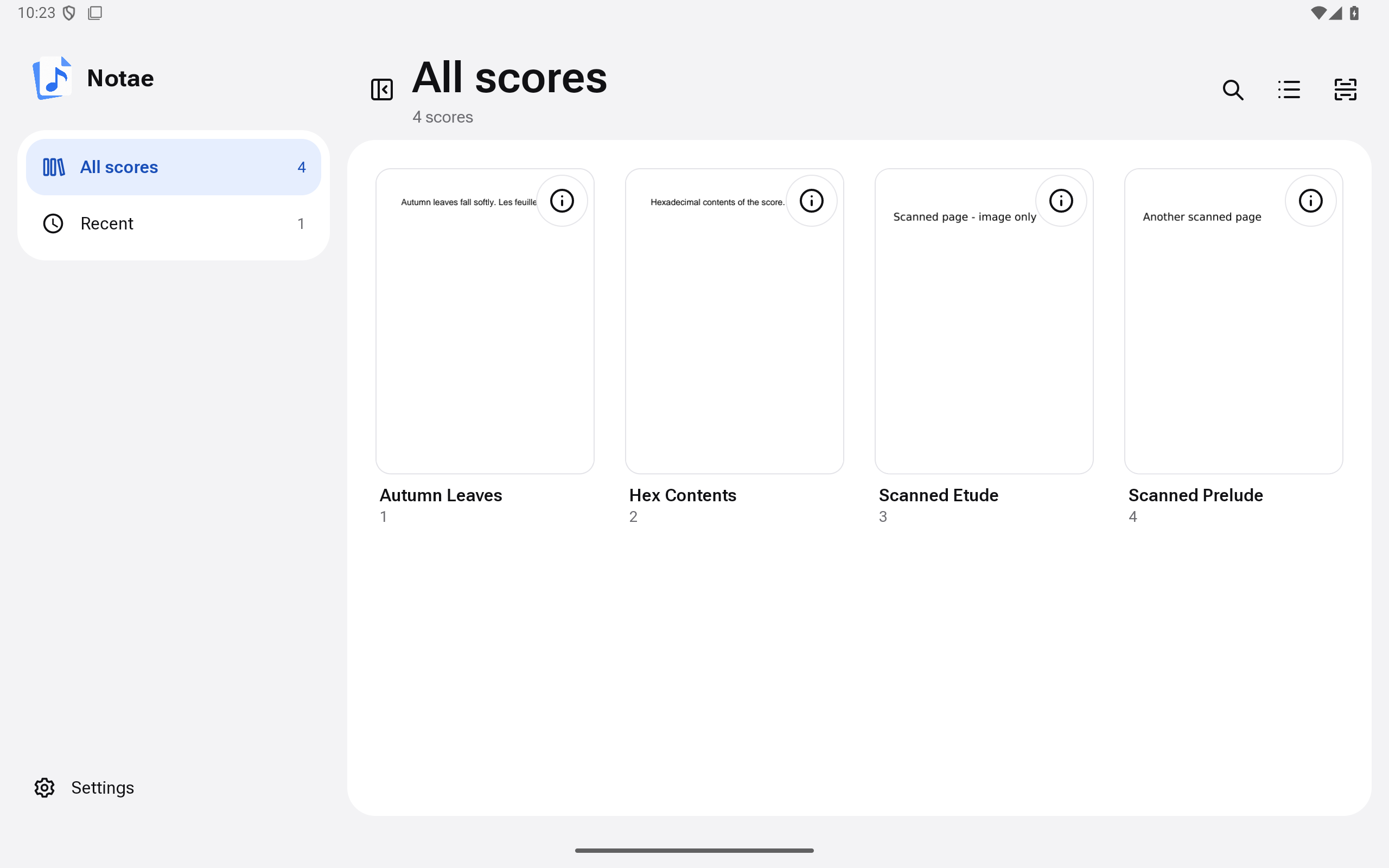 Android emulator capture of a development build, with sample scores.
Why Notae
If you keep a few hundred scanned or exported scores as plain PDFs, a file manager gives you file names and nothing else; nothing can search the printed text inside a scan. Notae adds a private catalogue on top of your existing folder and leaves the PDFs exactly where they are. It does not render or annotate scores itself: it hands each PDF to the viewer you already use.
Features
- Browse as a card grid or a dense list, with a collapsible sidebar, a Recent section and a full-width preview with previous/next buttons. Light and dark themes follow the system setting. Scans are manual; Notae never scans in the background.
- Search titles, composers, tags and lyrics (the printed text), narrowed by
scope chips, with highlighted lyric snippets.
Ctrl Kfocuses search when a hardware keyboard is attached; a microphone action appears when Android provides a speech recognizer. Search ignores case and Polish diacritics:ą ć ę ń ó ś ź żmatch their plain letters andł/Łmatchl/L, solodzfindsŁódźin titles, composers, tags and lyrics. - Edit details (number, title, composer, tags). Manual edits are kept when a scan runs again.
- Notes: a score note on a score, shown wherever it opens, and a set note on one occurrence of a score in a set, shown when you open it from that set.
- Share a set through Android’s share sheet as a
.notae-setfile plus a readable list, with or without your set notes. Never PDFs or score notes. The receiver sees a review of matched and unmatched scores first. - Open scores in your PDF viewer: Samsung Notes when installed, otherwise the Android PDF chooser.
- Parses
<number> - <title>.pdffile names and re-indexes incrementally by SHA-256 content hash, so a renamed file stays one record. - Reads a PDF’s own text layer on-device on Android 15 (API 35) and later. Scanned PDFs have no searchable text until on-device OCR exists. A failing PDF never aborts a scan, and duplicate numbers are reported rather than overwritten.
Screenshots
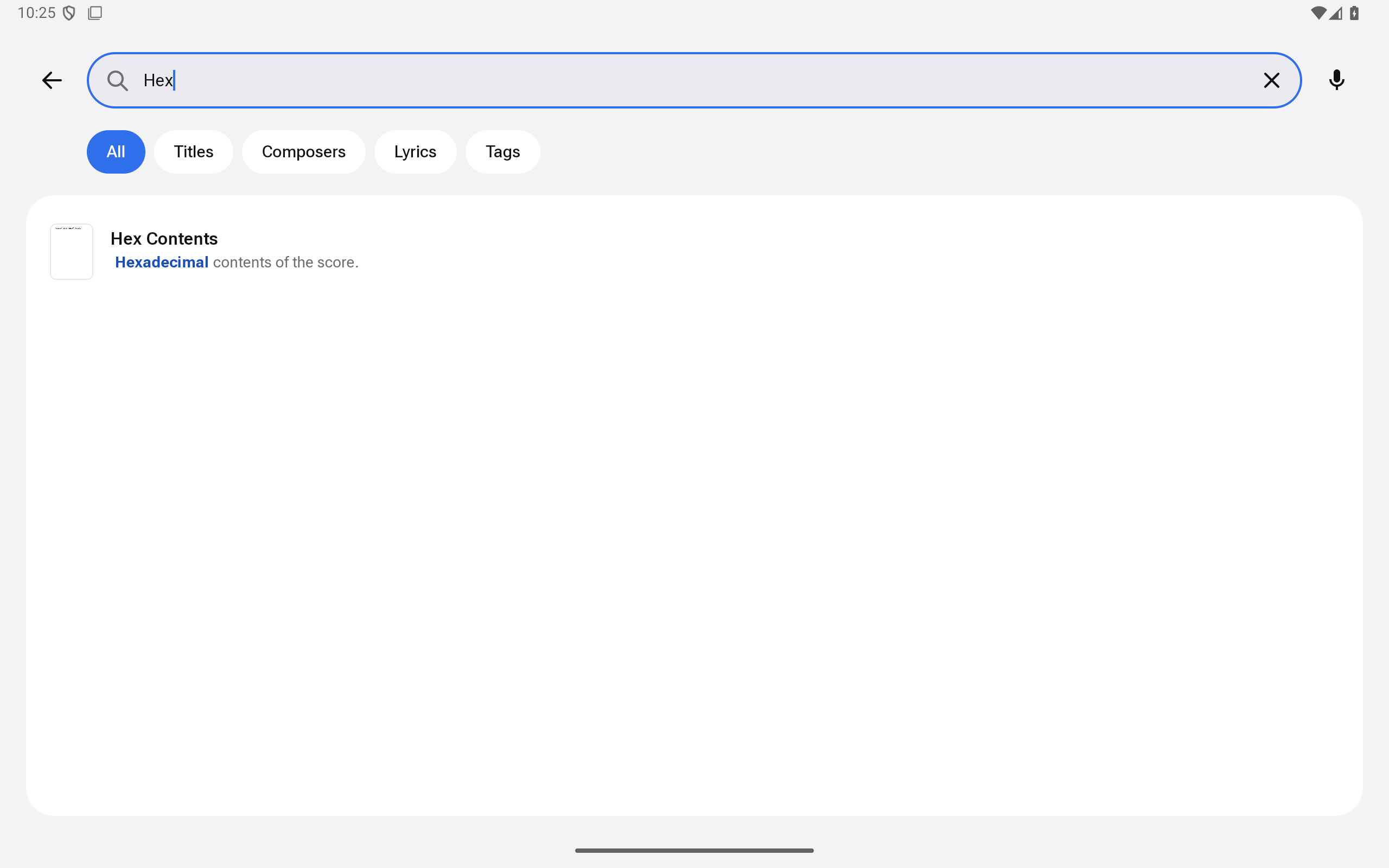
Search titles, composers, tags and lyrics. |
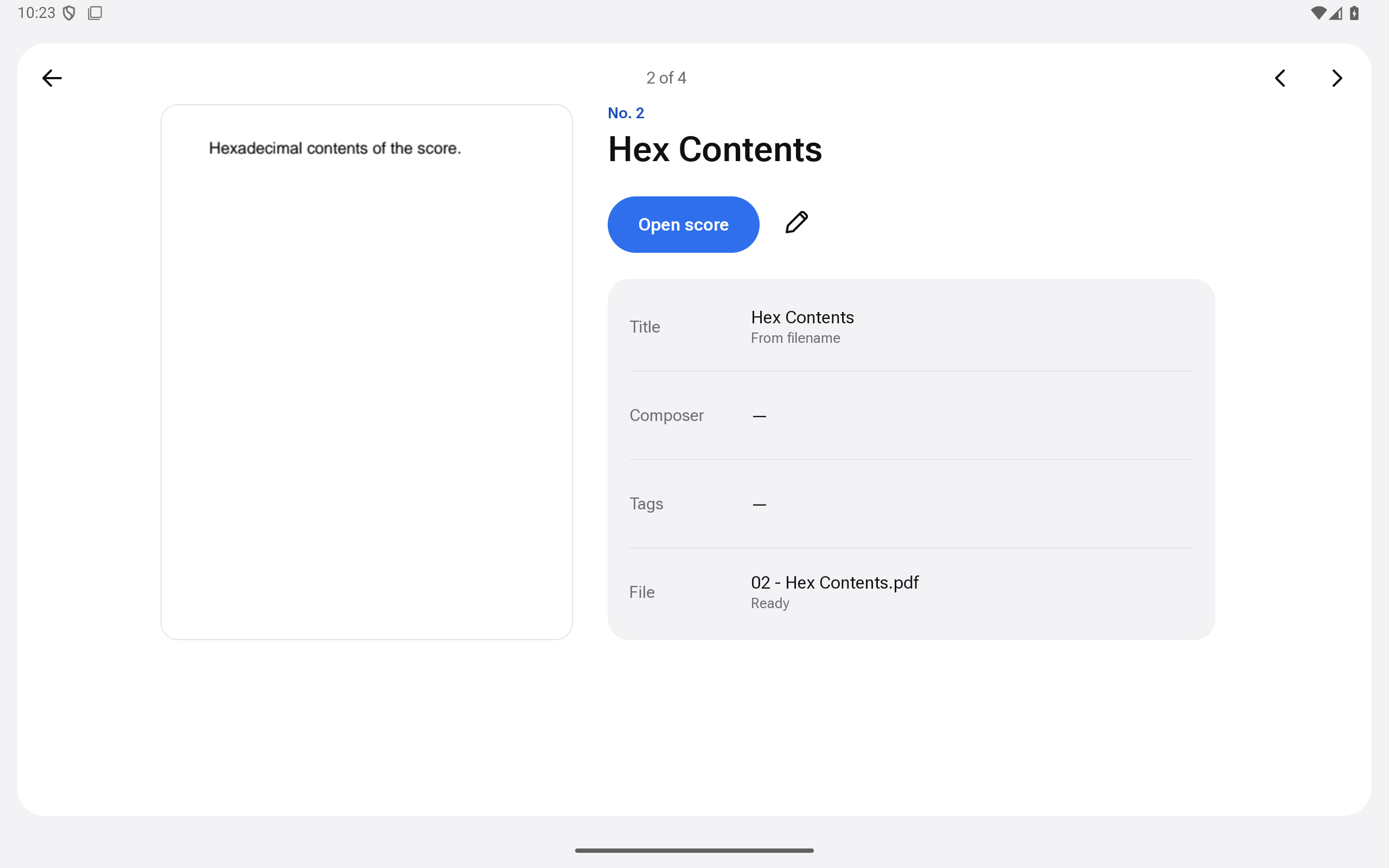
Preview with details and an Open score action. |
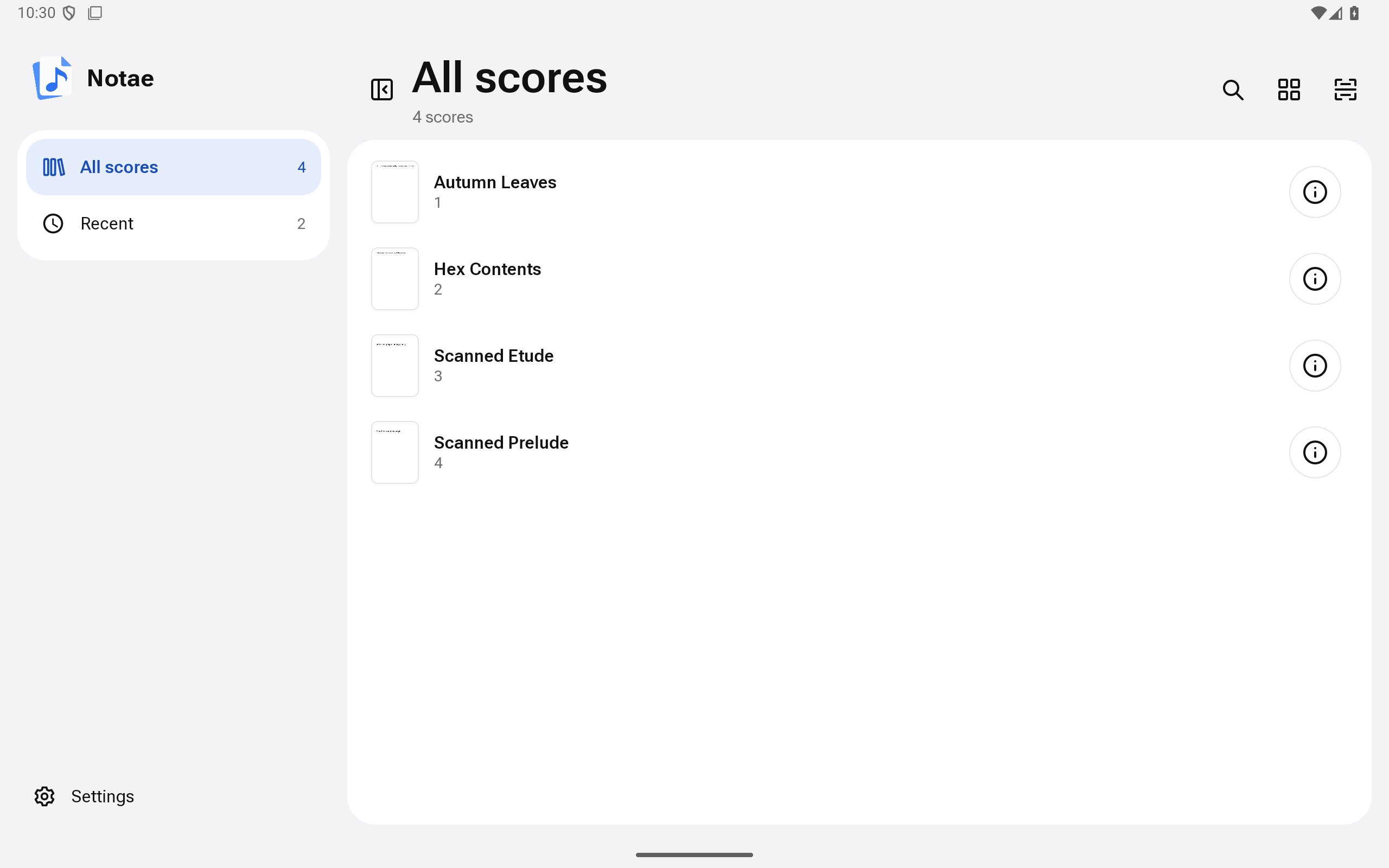
List view for dense libraries. |
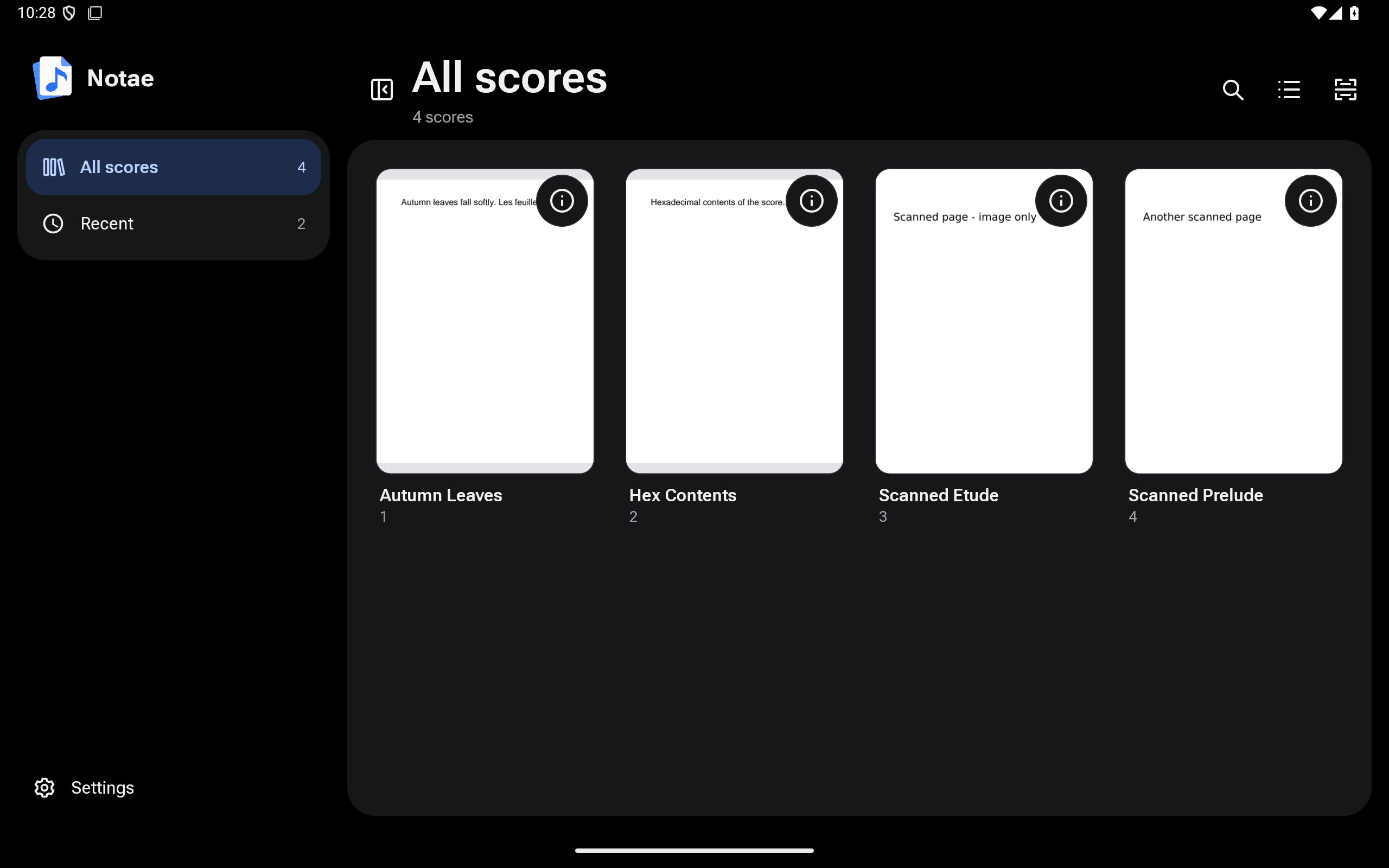
Dark theme follows the system setting. |
All screenshots are real captures from an Android 15 tablet emulator (2560×1600) of the v0.2.1 development build, showing sample scores, not from a physical tablet.
How it works
Notae reads the folder you pick through Android’s Storage Access Framework and builds its own private index from it.
flowchart LR
    subgraph tablet["Android tablet"]
        files[("Library folder<br/>PDFs")]
        app["Notae<br/>scan, browse, search,<br/>edit details"]
        viewer["Your PDF viewer<br/>(Samsung Notes, ...)"]
        files -->|"folder grant (SAF)"| app
        app -->|"open score"| viewer
    end
Notae never syncs or uploads anything. There is no on-device OCR yet; ADR 0001 accepts it as a manual, foreground step (#28), not yet built.
Install
[!NOTE] Notae is young. 0.5.0 rebuilds the app in Jetpack Compose with a new app id,
com.c2yz.notae: it installs beside 0.3.0 or 0.4.0 instead of updating it. Use Export sets in the old app first and import the file on 0.5.0’s first screen to keep your favorites and sets (see the changelog). Please report anything odd.
Notae ships one Android artifact: a signed arm64 APK for Android phones and tablets with Android 8.0 (API 26) or newer, attached to each GitHub Release. The release workflow builds, signs and verifies it from the release tag.
- Download
notae-<version>-arm64.apkand its.sha256from the latest release. -
Verify it. The checksum only catches a corrupted download; the signature check is what proves the APK came from the Notae release key.
V=0.7.0 sha256sum -c "notae-$V-arm64.apk.sha256" apksigner verify --print-certs "notae-$V-arm64.apk" \ | grep -i 'SHA-256 digest: be27cd781766c5c28a9db106c07b051ceee4e0003105964595e2a848f371f601'apksignerships with the Android SDK build tools. Thegrepmust print one line; if it prints nothing, do not install the APK. The same fingerprint, in the usual colon-separated form, is published indocs/android-release.mdand pinned in.github/workflows/release.yml:BE:27:CD:78:17:66:C5:C2:8A:9D:B1:06:C0:7B:05:1C:EE:E4:E0:00:31:05:96:45:95:E2:A8:48:F3:71:F6:01 - Copy the APK to the tablet and open it (allow installs from your file
manager or browser when Android asks), or run
adb install "notae-$V-arm64.apk".
[!WARNING] Installed a self-built (debug) APK before? Uninstall it first. Android will not update an app signed with a different key, and uninstalling deletes Notae’s local data (folder access, index, metadata edits) but never your PDFs. Releases all use one key, so later upgrades work in place.
Quick start
1. Put your PDFs in a folder on the tablet. Name them
<number> - <title>.pdf (for example 12 - Autumn Leaves.pdf) to get a number
and title for free; other names work and simply have no number.
2. Open Notae and choose the folder. Tap Choose score folder, pick the folder in the Android picker, allow access, then start a scan from the Library. Notae indexes the PDFs. Coming from 0.3.0 or 0.4.0? Tap Import from a previous Notae first and pick the file the old app’s Export sets wrote. The import carries your favorites and sets only: details you edited (number, title, composer, tags) and the Recent list stay in the old app. Keep the old app installed until you have checked that 0.5.0 has what you need.
Using Notae
- Browse: use the sidebar (or the chip row on a narrow window) for All scores and Recent, and the header buttons for grid/list and for hiding the sidebar. Both choices are remembered.
- Open: tap a score to open it in your PDF viewer. The ⋮ (More actions) button on every card and row opens a bottom sheet with Open score, Score details (the first page and metadata) and Edit details.
- Search: tap the search icon (or
Ctrl K), type, and narrow by scope chip. - Edit: change number, title, composer and tags from the ⋮ sheet’s Edit details or from a score’s details. Edits live in Notae’s private index and never rename the PDF.
- Notes: add a score note in a score’s details; add a set note to a score inside a set. Rows with a set note are marked.
- Share a set: use the share icon in the open set or Share in its ⋮
menu, then Share set or Share set with notes. To receive one, open
the
.notae-setfile in Notae (or use Import sets in Settings) and check the review. - Rescan from the Library header after adding files.
Build from source
Prerequisites
- **Rust 1.98.1**, pinned by [`rust-toolchain.toml`](https://github.com/eRgo35/notae/blob/main/rust-toolchain.toml) (rustup selects it automatically, with `rustfmt` and `clippy`), with the `aarch64-linux-android` and `x86_64-linux-android` targets and `cargo-ndk` 4.1.2. - **Android toolchain:** a JDK (21 or newer), the Android SDK with platform 36, build-tools 36.0.0 and NDK r28c (`28.2.13676358`), and `ANDROID_HOME` pointing at it.Build the Android app
```sh rustup target add aarch64-linux-android x86_64-linux-android cargo install --locked --version 4.1.2 cargo-ndk cd apps/notae-android ./gradlew assembleDebug # debug-signed APK, arm64-v8a and x86_64 (emulator) ./gradlew assembleRelease # unsigned arm64 release APK ``` Gradle builds the Rust core with cargo-ndk and generates its Kotlin bindings with UniFFI. Debug builds are signed with your Android SDK debug key, so they are **not** update-compatible with the official release APK. Release builds are signed only by the release workflow ([`docs/android-release.md`](https://github.com/eRgo35/notae/blob/main/docs/android-release.md)). See [`docs/android-debugging.md`](https://github.com/eRgo35/notae/blob/main/docs/android-debugging.md) for emulator setup.scripts/check.sh runs the quality gates (format, Clippy, tests, docs,
cargo deny, coverage, and the Gradle lint, tests, screenshot checks and
release build); see CONTRIBUTING.md.
Project layout
crates/
  notae-domain/     Filename convention, note metadata, file identity.
  notae-index/      SQLite persistence, FTS5 search and the
                    rescan reconciler.
  notae-app-core/   The app logic (state, stores, browse, search, sets,
                    scans) behind a UniFFI API for the Kotlin app.
apps/
  notae-android/    The Android app (Gradle): Jetpack Compose UI and the
                    Storage Access Framework, PDF and speech platform code.
docs/               Release procedure, engineering standards, debugging guide,
                    design spec and plans.
The UI is Kotlin with Jetpack Compose; the app logic is Rust. Domain logic, indexing, search, sets and the screen state live in the host-tested crates; the Kotlin app draws the core’s snapshots and adds the platform code. The product scope and architecture are in the design spec.
Privacy & security
- No network access by Notae. The Android manifest requests no Android
permissions, so there is no
INTERNETpermission. Check an APK yourself:aapt2 dump permissions notae-$V-arm64.apkprints only the package name and AndroidX’sDYNAMIC_RECEIVER_NOT_EXPORTED_PERMISSION, an app-private permission that keeps the app’s internal broadcasts to itself. The Rust core’s Android dependency graph (cargo tree -p notae-app-core --no-default-features --target aarch64-linux-android) contains no HTTP client, TLS or async-network crates. There are no accounts and no telemetry. - No broad storage access. Notae reads only the folder you pick through Android’s Storage Access Framework, and only reads from it.
- PDFs are never modified. They are not copied, moved, renamed or rewritten. The index and thumbnails live in the app’s private storage.
- Handing a score to a viewer grants that app temporary read access to that one PDF.
- Voice search is optional: it only launches Android’s installed speech recognizer. That recognizer is not part of Notae and may use network services independently; Notae requests no microphone permission.
- Signed releases. APKs are built from version tags and signed with a dedicated key whose fingerprint is published (see Install).
Found a vulnerability? Follow SECURITY.md and report it
privately.
Documentation
ROADMAP.md: what is being built now, next and later.GLOSSARY.md: the domain terms (library, score, scope, set, …).CONTRIBUTING.md: setup, quality gates and the development workflow from issue to release.docs/android-release.md: cutting a release, signing and verification.docs/android-debugging.md: emulator setup, crash-log capture and the UI verification checklist.docs/engineering-standards.md: quality gates and standards audit.docs/release-notes/andCHANGELOG.md: what changed in each release.
Contributing
Bug reports, ideas and pull requests are welcome. Start with
CONTRIBUTING.md for the development setup, quality gates,
commit conventions and what must never be committed.
Known limitations
What comes next is in ROADMAP.md.
- 0.7.0 is verified with host tests and screenshot tests only; its animations, sharing between devices and the phone layouts have not been checked on a device or an emulator yet, and the Galaxy Tab S10 FE+ check is pending.
- No on-device OCR. Scanned PDFs are found by file name only (#28, ADR 0001). The desktop indexer and its OCR were removed in 0.5.0.
- Platforms: Notae runs on Android phones and tablets, and the release is arm64 (minSdk 26). There is no desktop, iOS, Windows or macOS build.
- No in-app PDF viewing or annotation, and no cloud sync, by design.
- Preview thumbnails are 400 px wide, so the full-width preview can look soft on a large tablet.
License
Notae is released under the MIT License. Third-party dependencies
keep their own licenses; for the Rust crates the accepted set is enforced by
cargo deny (deny.toml).